How to Save Recipes from Cooking Magazines (Bon Appétit, BBC Good Food & Digital Editions)
You found the perfect roast chicken in last November’s Bon Appétit. Now it’s buried in a pile of issues, the digital edition has no export button, and the website wants you to log in before it shows you the recipe.
Cooking magazines have always been aspirational objects. The photography is designed to make you want to cook everything in the issue. The reality is that most magazine recipes end up in one of three places: a pile of physical issues nobody opens again, a subscription app that has no export feature, or a website that makes you log in or pay before you can actually see the recipe you already read in print.
The problem is not the quality of the recipes — it is the format. Magazines are designed to be read, not to function as a searchable, interactive recipe library. The transition to digital editions has not improved things: it has mostly moved the pile from your coffee table to a subscription app with the same accessibility problems, plus the new risk that cancelling the subscription takes your saved recipes with it.
Why Cooking Magazine Recipes Are So Hard to Keep
Physical issues: recipes in a pile that never gets opened again
The average household that subscribes to a cooking magazine accumulates twelve issues a year. By the third month, the first issue is under two newer ones. By the end of the year, the pile contains recipes you meant to cook, recipes you cooked once and want to make again, and recipes you have completely forgotten about. Finding any specific recipe requires leafing through physical pages with no search function.
The traditional workaround is to tear recipes out and put them in a folder, which works until you have forty torn-out pages with no organisation, no ingredient search, and no way to scale servings or generate a shopping list. It is the same fundamental problem as recipes in Apple Notes or Google Docs: you can see the recipe, but the format does not let you actually use it as a cooking tool.
Digital editions: subscribe to access, cancel to lose everything
Digital magazine subscriptions — Apple News+, Readly, Magzter, Kindle Newsstand, and individual publisher apps — give you access to beautifully rendered digital editions of each issue. What they do not give you is any way to extract a recipe into a format you can use in the kitchen.
Most digital editions display magazine pages as high-resolution images. You can zoom in and read the recipe, but text selection is usually disabled or unreliable because you are looking at an image of a page rather than machine-readable text. There is no “send to recipe app” button, no shopping list generation, and no ingredient search across your subscription archive. And when you cancel — or when the service shuts down, or when the magazine changes ownership — access to every issue you have downloaded typically disappears with it.
Magazine websites: registration walls and paywall shuffles
Bon Appétit, Food & Wine, BBC Good Food, Saveur, and most other major cooking publications maintain websites with recipe archives. Some recipes are freely accessible; many are behind registration or subscriber paywalls. Even the free recipes are typically served on pages dense with advertising and “jump to recipe” prompts designed to generate engagement rather than be useful in the kitchen.
These sites also have their own save features — recipe boxes, bookmarks, and saved collections — that work only while the site is operational and you remain logged in. Bon Appétit went through significant ownership and editorial changes in 2020 that affected parts of its digital archive. Conde Nast has restructured its digital products multiple times. A recipe saved to a magazine’s own platform is a recipe stored somewhere you do not control.
No ingredient search across your collection
If you subscribe to three cooking magazines and have saved recipes to each of their websites, you now have three separate recipe silos with no common search. You cannot ask across your entire magazine recipe collection “what can I make with the lamb mince and aubergine in my fridge?” You have to check each platform separately. The same problem applies to the physical pile: there is no index. Pantree solves this by collecting recipes from any source into one library with a single ingredient search.
How to Save Recipes from Physical Cooking Magazines
Method 1: Photograph the recipe page (fastest method)
This is the simplest and most reliable method for physical magazine recipes. It takes about thirty seconds per recipe and works on any magazine:
- Open the magazine to the recipe page. Lay it flat on a table in good light — natural light near a window works best.
- Take a clear photograph of the recipe page with your phone. If the recipe continues across two pages, photograph both.
- Open Pantree and use the camera import. Select the photo or photos of the recipe.
- Pantree reads the text from the image and structures it into a recipe with a parsed ingredient list and ordered method steps. Review and save it to your library.
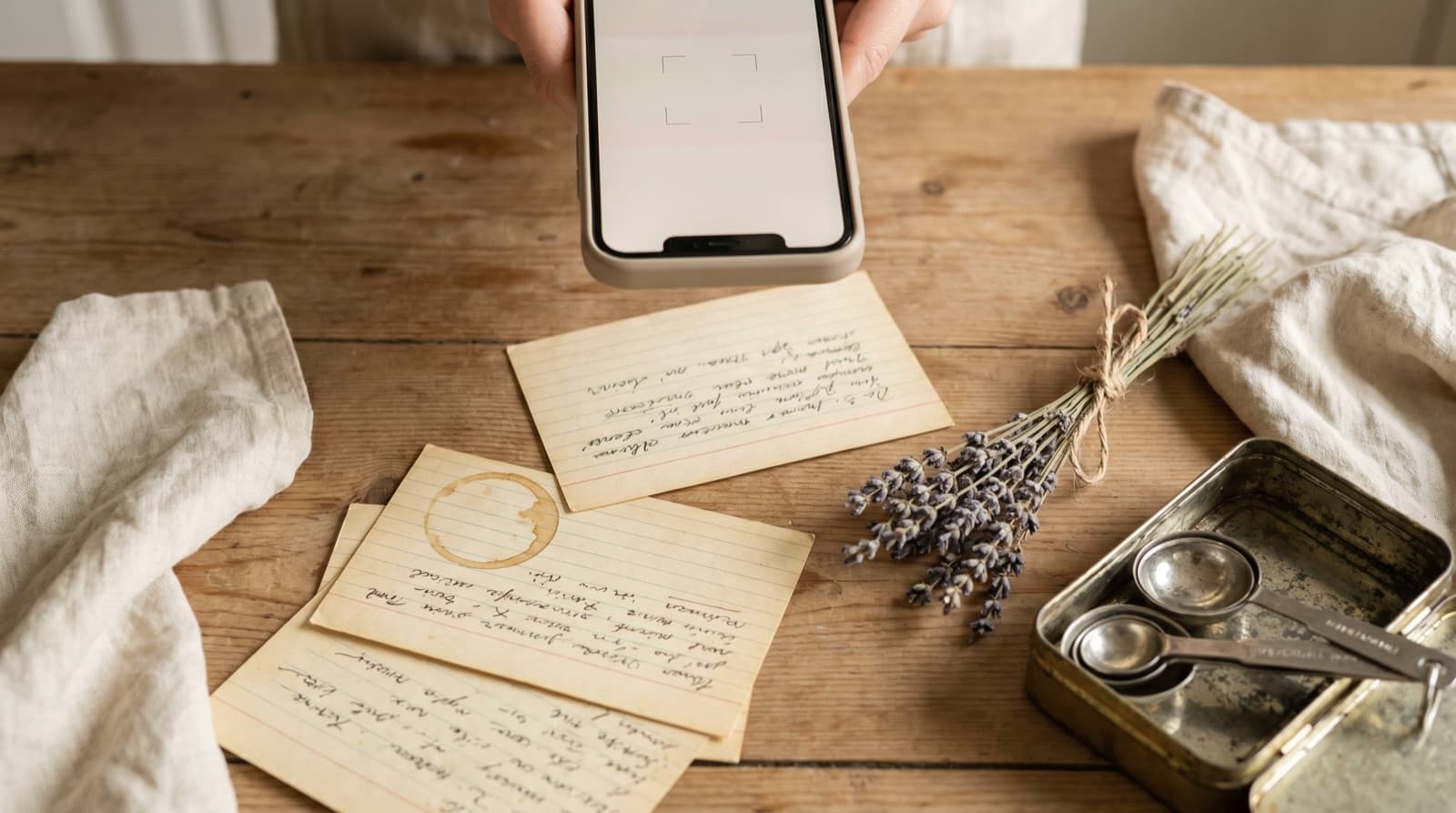
The photo method also works for torn-out recipe pages, recipe clippings from newspapers (BBC Good Food and The Guardian Weekend magazine both run recipes), and handwritten recipe cards — anything you can photograph and hold steady enough to read.
How to Save Recipes from Digital Magazine Editions
Method 2: Screenshot the recipe screen
For digital editions in Apple News+, Readly, Magzter, or a publisher’s own app, the screenshot method is the most reliable because it bypasses any text selection restrictions:
- Navigate to the recipe in your digital edition app. Zoom in so the recipe is comfortably readable on screen.
- Take a screenshot of the recipe page. If the recipe runs across multiple screens, take screenshots of each section.
- Open Pantree and use the camera import. Select your screenshots.
- Pantree reads the recipe from the screenshots and structures it into your library.
Screenshots go directly into your camera roll and import into Pantree the same way as any photograph. This works on iPhone and iPad for any app where you can see the recipe on screen.
How to Save Recipes from Magazine Websites
Method 3: Copy and paste the recipe text
For recipes you can read on a magazine’s website, the copy-paste method is the fastest route into Pantree:
- Navigate to the recipe on the magazine’s website and scroll to the recipe card — the section that lists ingredients and method steps.
- Select all the text from the ingredient list through to the end of the method. Copy it.
- Open Pantree and use the text import. Paste the copied text.
- Pantree parses the text into a structured recipe with separated ingredients and steps. Adjust the title and any details, then save.
This works for freely accessible recipes on bonappetit.com, bbcgoodfood.com, foodandwine.com, seriouseats.com, and most other major food publication websites. For paywalled recipes, the method works if you have a subscriber account and can access the recipe page. It also works for the magazine’s email newsletter recipes — most food publications send weekly recipe emails that can be copy-pasted the same way.
Why Moving Magazine Recipes into Pantree Is Worth It
The investment is small — thirty seconds per recipe with the photo method — and the payoff is substantial. A recipe from a 2024 issue of Olive magazine that you photographed into Pantree shows up when you search “pasta” two years later, alongside recipes you saved from food blogs, newsletter subscriptions, and digital cookbooks. One search. One library. No pile.
The recipe is also structured in a way a magazine page is not: the ingredient list is separated from the method, quantities can be scaled for any number of servings, and the shopping list generates automatically. A two-page spread in a physical magazine requires you to flip back and forth between the ingredient list and the method. In Pantree’s cook mode, each step appears individually on screen — a tap to advance, the screen staying on while your hands are occupied.
And unlike a subscription to Apple News+ or a magazine’s own app, the recipe in Pantree belongs to you. It does not disappear if you cancel, if the magazine is acquired, or if the publisher shuts down its digital archive.
Frequently Asked Questions
Can I copy text from a digital magazine edition?
It depends on the app. Apple News+ issues and Kindle Newsstand titles are usually displayed as page-faithful PDF renders, which means text selection is either disabled or unreliable — you are effectively looking at an image of the page, not selectable text. Apps like Readly and Magzter similarly render magazine pages as images. The most reliable method for any digital edition is to take a screenshot of the recipe page and import it into Pantree's camera import, which reads the text from the image.
What happens to my digital magazine recipes if I cancel my subscription?
For most digital magazine services, cancelling your subscription removes access to issues you have downloaded. Apple News+, Readly, Magzter, and Kindle Newsstand all work this way — you are paying for access to the content, not ownership of it. Issues you downloaded while subscribed may remain cached on your device for a short time, but ongoing access requires an active subscription. Recipes you have saved to Pantree remain in your library regardless of whether you continue subscribing to any magazine service.
How do I save a recipe from the BBC Good Food or Bon Appétit website?
Both sites offer free recipes alongside subscriber-only content. For freely accessible recipes, the simplest method is to copy the recipe text from the page and paste it into Pantree's text import. Pantree parses the pasted text into a structured recipe with a separated ingredient list and ordered steps. For subscriber-only recipes that you have access to through a paid account, the same copy-paste method works. Pantree's camera import also works if you prefer to photograph the screen or take a screenshot of the recipe.
Is photographing a magazine recipe legal?
Making a personal copy of a recipe for your own private cooking use is generally considered fair use in most jurisdictions, equivalent to writing a recipe out by hand. Recipes as a list of ingredients and basic instructions occupy thin copyright protection — the expression of a recipe can be protected, but the underlying idea and method cannot. Taking a photo of a magazine recipe for personal cooking use, rather than redistribution or commercial purposes, is consistent with how home cooks have always handled recipes. Pantree saves recipes to your private library; nothing is published or shared without your explicit action.
Can I search across all my saved magazine recipes by ingredient?
Yes — that is one of the main reasons to move recipes out of magazines and into Pantree. Once a recipe is in Pantree, you can search your entire library by ingredient. If you have saved forty recipes from six different magazines over the past year, a search for 'chicken thighs' returns every recipe across all of them instantly. Individual magazine apps only search within their own archive, and physical magazines cannot be searched at all.
Do magazine websites' recipe save or bookmark features work?
Most magazine websites offer a save or bookmark feature that requires a free or paid account. These work as long as the site is operational and you remain logged in. The risks are that the site changes, the feature is removed, or the magazine changes ownership and the saved list is lost — Bon Appétit, for instance, went through significant ownership changes that affected its digital archive. A recipe saved to Pantree exists in your own library and is not dependent on any magazine's website remaining stable.
Get your magazine recipes into a library you can actually search.
Photograph the recipe page, import it into Pantree, and get a structured recipe with a shopping list — stored in your own library, independent of any subscription or publication. Free on the App Store.
